Projects & engineering cases

Interfaces, workflows and tools I have worked on.

Find a project by technical focus
14 items
Crop inspection · Preset demonstration

LIVE DEMO · OPTIONAL LOCAL YOLO

FieldLens · Crop Image Inspection

A crop inspection workspace with a field-focused homepage, readable tables, region reviews, printable reports and optional AI assistance.

The public site uses preset demo data and does not collect passwords. Real sign-in needs the backend; inference needs an authorized model. Records stay in the browser.

Implementation & scope

Version 1.9 redesigns the homepage and working screens with readable type, four themes and semantic status colors. Detection, camera capture, review, reports and the compatible AI interface are retained. The twelve-case demo needs no account.
JavaScriptYOLOFlaskCanvasPlaywright
Current application · Synthetic demonstration

ENGINEERING CASE · RELEASE CHECKS

Counselor Collaboration & Release Verification

Role-scoped tasks, chat and attachments, plus a release gate binding acceptance results to the exact frontend, backend and browser-report hashes.

Public excerpts updated to v1.1.1 with frontend/backend paths and a refreshed 37-file source manifest. The case keeps its dated acceptance records; the excerpt is not a complete deployable system.

Implementation & scope
Vue 3Spring BootPlaywrightSHA-256
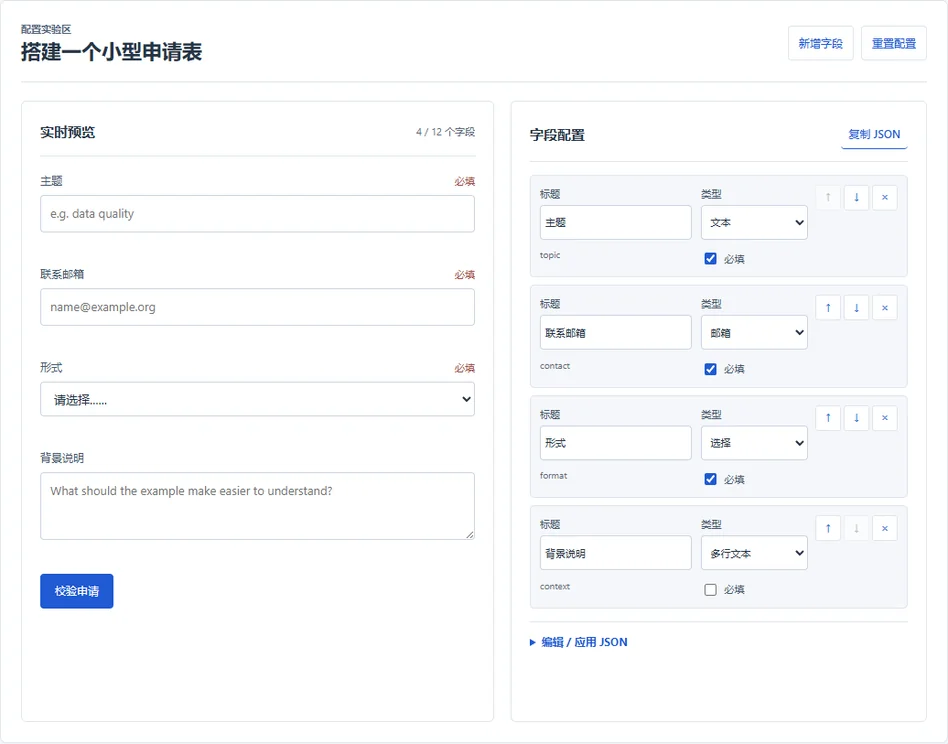
Schema-driven Form Studio: preview and field configuration
Actual browser capture · Synthetic example

INTERACTIVE PROTOTYPE · SYNTHETIC DATA

Schema-driven Form Studio

Problem
Keep configuration, rendered fields and validation in agreement.
Public implementation
Six field types, stable keys, JSON import and an independent validation core.
Trade-off
Validate before replacing a schema; a valid import resets preview values.
Evidence
10 core tests rerun on 1 Nov; inspect invalid-import recovery in the demo.

AI-assisted learning implementation with synthetic data. Client-side checks do not establish backend authorization or production acceptance.

Implementation & scope
SchemaDynamic formsValidationVue patterns
Working application · Desktop, mobile H5 and WeChat source

LOCAL PILOT · SOURCE & CHECKS

Shuyang Home · Membership & Community

Problem
Follow member, event and order progress without searching separate modules.
Public implementation
Shared state, a permission-scoped work center, business notifications and reviewed help-request edits.
Trade-off
Aggregate the reading view; retain the original action and permission checks. Read is not completed.
Evidence
v1.6.0 source and versioned acceptance; local pilot, real-device checks still pending.

v1.6.0 · 3 Nov. The release record reports 198 frontend checks, 94 backend tests and 48 browser assertions. This portfolio update reviewed source and records; it did not rerun that suite.

Implementation & scope
Vue 3TypeScriptuni-appSpring BootPlaywright

KICP / RESEARCH IMPLEMENTATION

models/
  CLIP representations
  learned prompts
  co-attention fusion
knowledge/
  retrieval embeddings
train.py  →  test.py

Illustrative implementation map

A conceptual guide to method components; the complete repository structure and personal code contributions remain to be verified.

KICP · Multimodal Fake-News Detection

Experiments with CLIP features, prompt learning, co-attention and knowledge retrieval. The repository explains the external datasets and model assets needed to run the code.

Related implementation for the revised Neurocomputing study. Read the study overview for findings, scope and the distinction between this code and the complete experimental archive.

Implementation & scope
PyTorchCLIPPrompt learning
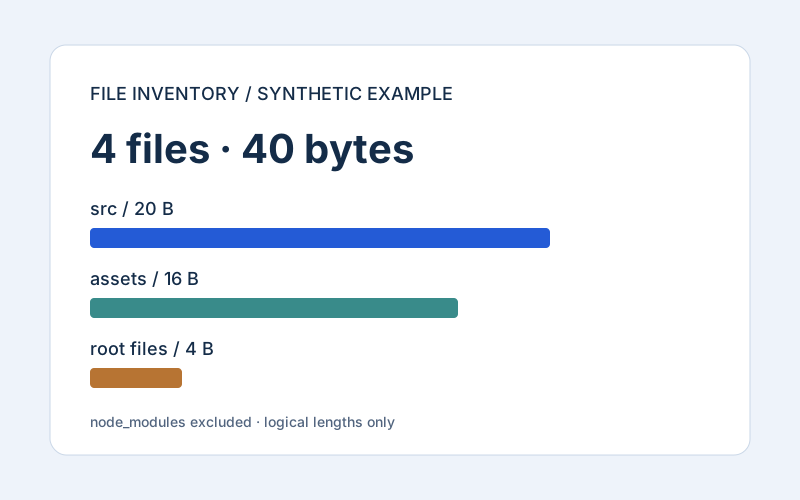
Synthetic inventory report: 4 files, 40 bytes
Synthetic example · not a personal disk report

File inventory & report contracts

Inspect file metadata with explicit exclusions, reproducible grouping and visible read errors. Source files are not moved or deleted.

Includes a synthetic example and regression checks. Logical length is not allocated space; no large-directory performance claim.

Implementation & scope
PythonCLIunittestGitHub Actions

KAPT / REPRODUCIBILITY LAB

  1. 01Validation selection
  2. 02ID-aligned predictions
  3. 03Reproducible checks

KANO-derived local study · Synthetic fixtures

KAPT Reproducibility Lab

A focused engineering study extracted from a local KANO/KAPT project: prompt tensor contracts, explicit early-stopping state and sample-aligned prediction ensembles.

KANO is the third-party upstream. The public lab documents local changes; it does not claim a reproduced molecular benchmark or an original KANO model.

Implementation & scope
PythonPyTorchPrediction ensembles
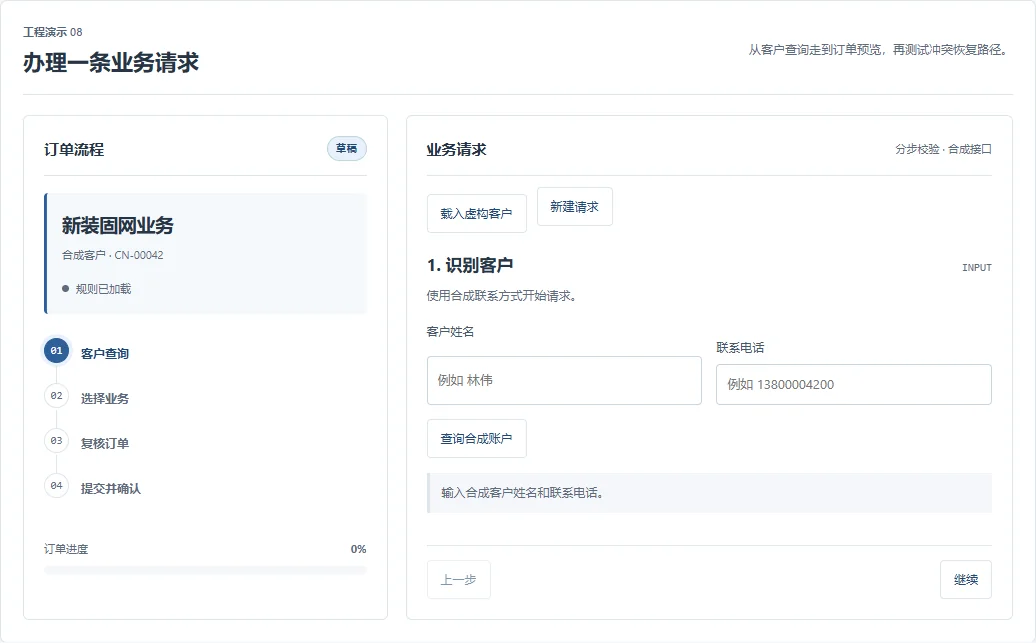
Application interface · Empty sign-in form

Silk Road Intelligence · Order Workflows

A teaching adaptation of an existing college application: marketing review, server-side pricing and stock, quality gates, fulfillment receipts and service follow-up.

Desktop and mobile interface gallery; business views use synthetic fixtures. Payment and device flows are simulations.

Implementation & scope
Vue 3Spring BootMySQLIdempotency

COLLEGE ARCHIVE / FILE LIFECYCLE

PDF
teaching-material.pdfVersion 02 · Synthetic sample
Approved
  1. Upload & scope check
  2. Version relationship
  3. Review & audit trail

Interface concept · Not an application screenshot

College Materials Archive

Teacher and college access scopes, same-name file versioning, review decisions and operation logs. The public case examines consistency across search, downloads and exports.

Source-reviewed case; no integration test rerun. Original configurations, attachments and database are excluded.

Implementation & scope
Vue 3Spring BootFile versioningAuthorization

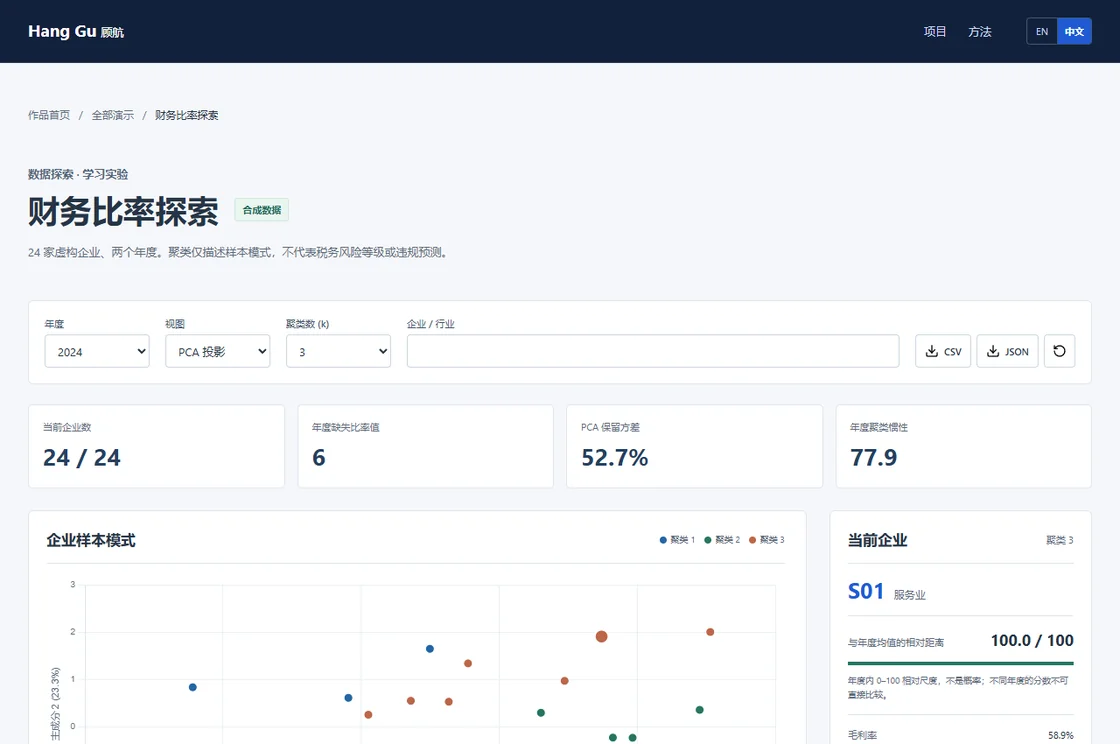
FRONTEND & DATA LAB

01
CSV → SQLite → JSON
02
Dashboard & dynamic form
03
Annotation & model evaluation

Synthetic data · Reproducible examples

Frontend & Data Lab

An interactive dashboard and form, a deterministic data pipeline, annotation quality checks, bounded public-web crawling and model self-study notes.

Implementation & scope
SQLiteJavaScriptData quality
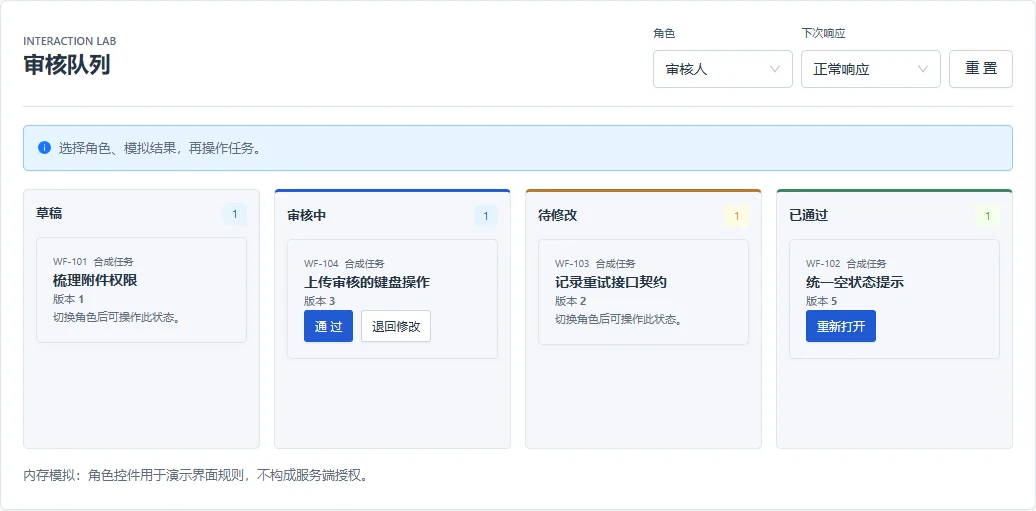
React Workflow Board: four synthetic workflow states
Actual browser capture · Synthetic example

React Workflow Board

Problem
Explain what happens when an approval fails or its version is stale.
Public implementation
React + Ant Design UI, pure reducer, request tokens and keyboard focus.
Trade-off
One pending action; a conflict requires refresh and a fresh decision.
Evidence
8 model tests rerun on 1 Nov; interactive review linked below.

AI-assisted learning implementation with synthetic data. Client-side checks do not establish backend authorization or production acceptance.

Implementation & scope
ReactTypeScriptState machineAccessibility
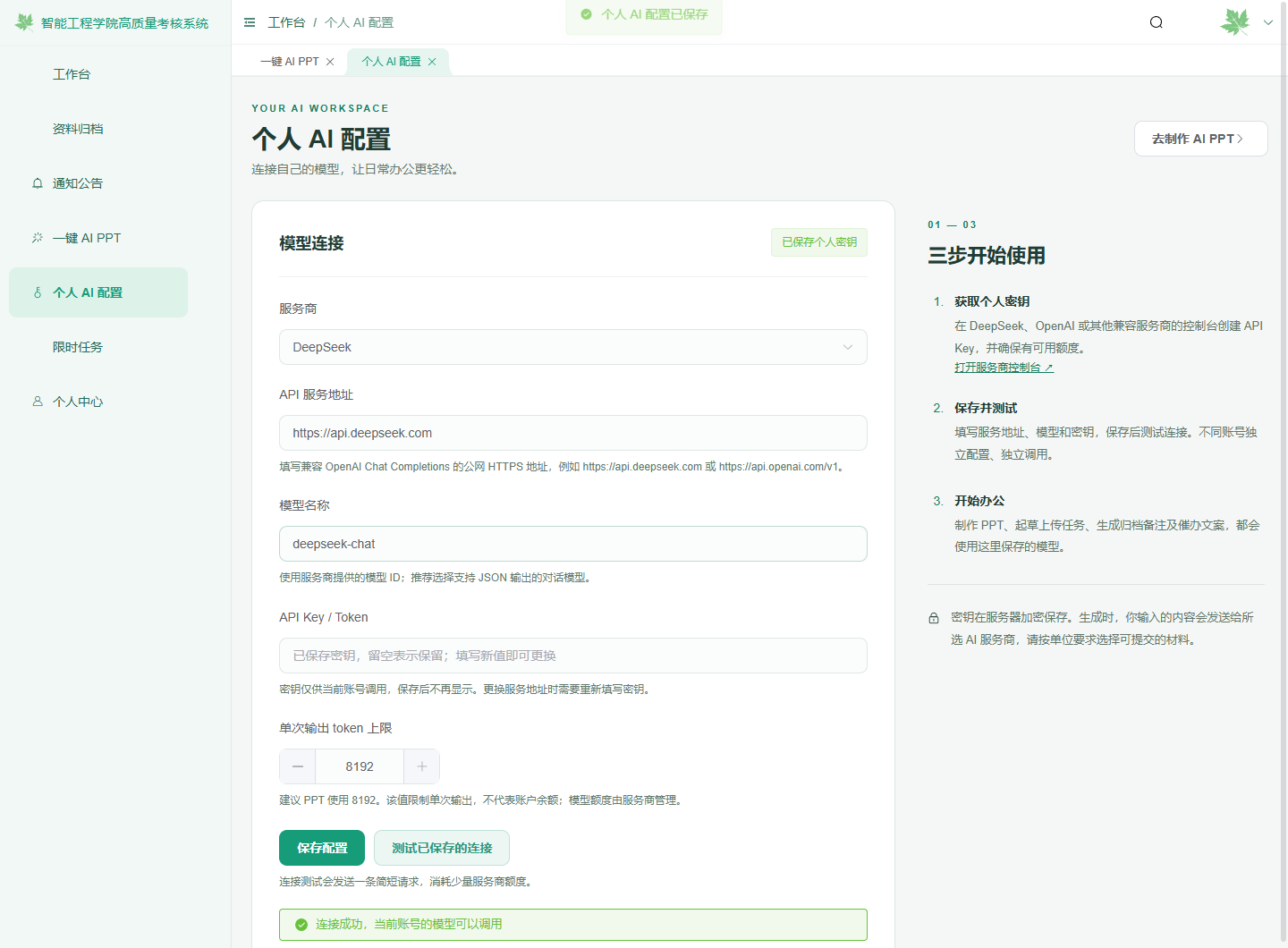
AI workspace settings with hidden personal key, endpoint controls and connection feedback
Local UI test fixture · Synthetic connection response

Personal AI Workspace & Document Automation

A module in the college archive system: account-bound encrypted provider keys, public HTTPS endpoint policy, bounded AI requests and editable PPT drafts. Users review before saving or sending.

Existing feature within the archive system, not a standalone deployed product. Public material is an engineering case, notes and synthetic evidence; mock-provider tests did not use a real key.

Implementation & scope
Spring BootAES-GCMEndpoint policyHuman reviewPPTX

RELIABILITY GATE / LEARNING LAB

01
Input quality and missing data
02
Confidence and disagreement
03
Output or request review

Synthetic inputs · Inspectable rules

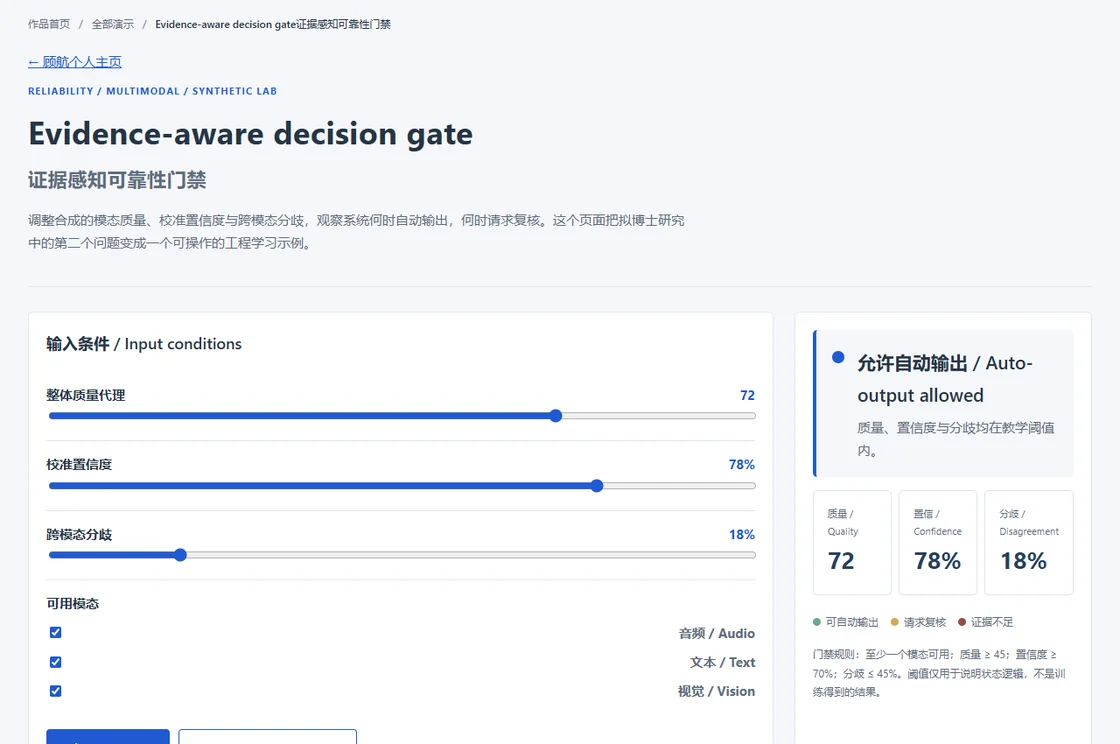
Reliability Gate Lab

A small interactive lab for the proposed multimodal decision protocol: adjust modality quality, confidence and disagreement, then inspect whether the system outputs or requests review.

Synthetic educational example. It explains state logic and does not report a trained emotion-recognition result.

Implementation & scope
JavaScriptCalibrationRisk–coverageAccessibility
Responsive workflow · Mobile evidence

Counselor Workflow Showcase

A small online companion to the engineering case: role views, explicit state transitions, ownership transfer, version conflicts and retry contracts.

The online showcase is a static synthetic sample. The screenshot above comes from the newer local application, not the static demo.

FRONTEND ENGINEERING / ARCHIVE

01 / 02
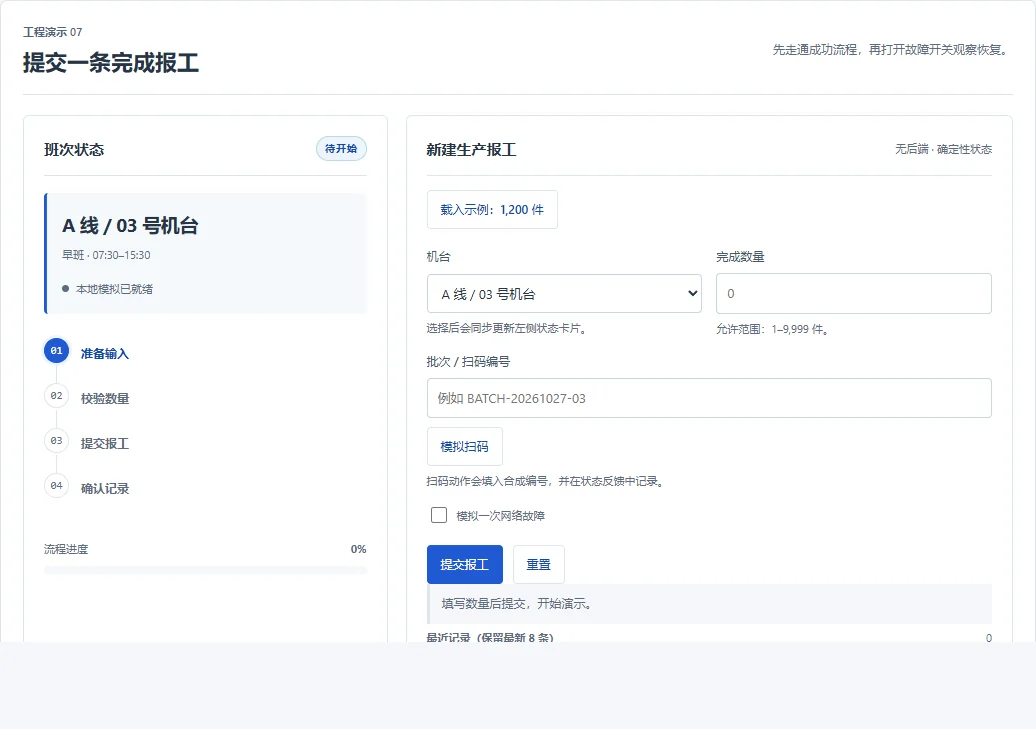
Desktop & mobile production reporting
03
Factory administration
04
Telecom service interfaces

Historical experience · CV-based descriptions

Four projects from earlier frontend work

Production feedback on desktop and mobile, factory administration and fixed-network telecom services. The cases describe business context, my page-development responsibilities and the original technology stack.

Descriptions from a historical CV. Related public demos are separate learning examples.

Implementation & scope
Vue / VuexElement UIMobile CSSFish / Handlebars
Updates worth a closer look

PYTHON / FILE INVENTORY

A small tool with checkable results

Exact exclusions, stable reports and regression checks. Explore a five-file example before running it on your own project.

  • Standard library
  • Synthetic example
  • Windows + Linux CI

FIELDLENS / v1.7

A complete demo, without login

Twelve preset inspection cases connect detection, region reviews, reports and dashboard views. Demo edits stay in an isolated tab session with a reset option.

Explore the demo workflow ↗
How the engineering pieces fit together

Engineering signals at a glance

A compact map of how I turn requirements into inspectable interfaces, data workflows, model checks and release evidence.

UI01

Contract-first interfaces

Dynamic forms, role-scoped states, accessible controls and browser checks make interaction rules visible before release.

Open workflow case ↗
DATA02

Data quality as a feature

Deterministic cleaning, annotation agreement, quarantine records and bounded crawling turn messy inputs into traceable examples.

Open data lab ↗
MODEL03

Evaluation before storytelling

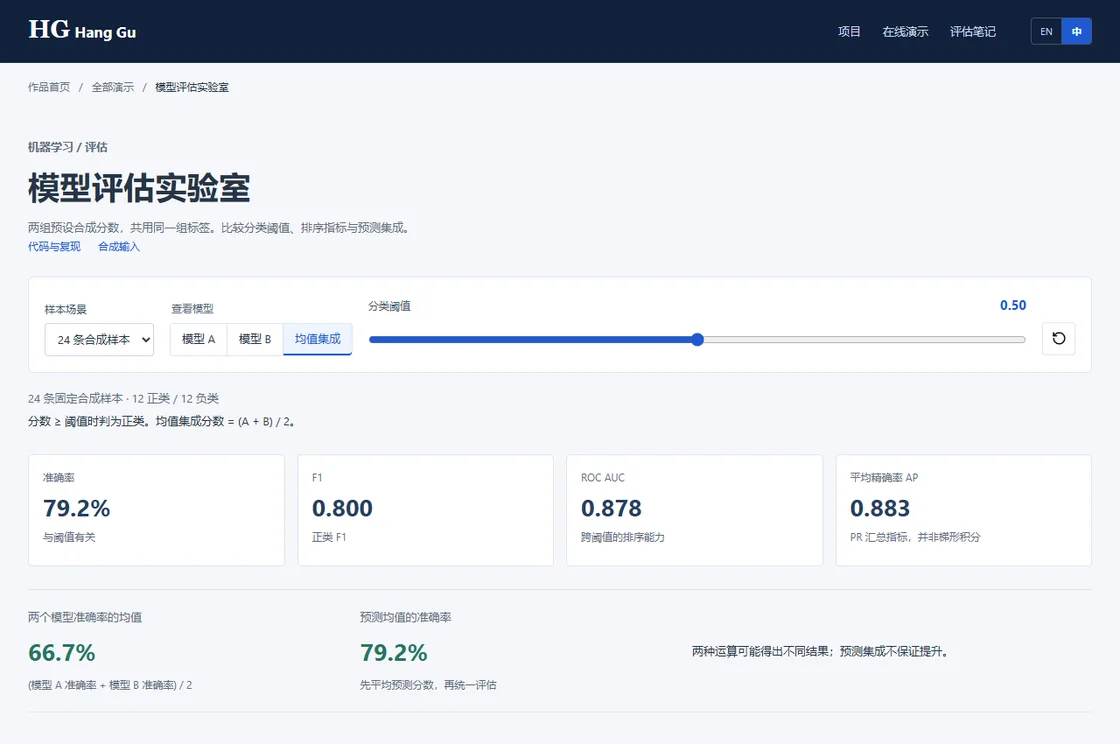
Baselines, validation sensitivity, threshold choice and error analysis keep model demos separate from unsupported performance claims.

Try model experiments ↗
SHIP04

Evidence-shaped delivery

Release gates, hashes, scope notes and synthetic fixtures make it clear what was checked, what was excluded and what remains open.

See verification records ↗
REUSABLE DELIVERY LOOPQuestion → contract → check → explain
  1. 01Framestate the user or research question
  2. 02Specifymake inputs, states and limits explicit
  3. 03Checkrun focused tests and inspect failures
  4. 04Explainpublish scope, evidence and next work
Project highlights & design notes4 examples

The decisions behind the work

Explore the implementation, checks and design choices.

Try it yourself

Forms, workflows and data tools. Open a demo to explore.

All 10 demos
Watch four short project films

PROJECTS IN MOTION

Watch the reasoning unfold.

Four project videos · presenter demo & engineering explainers

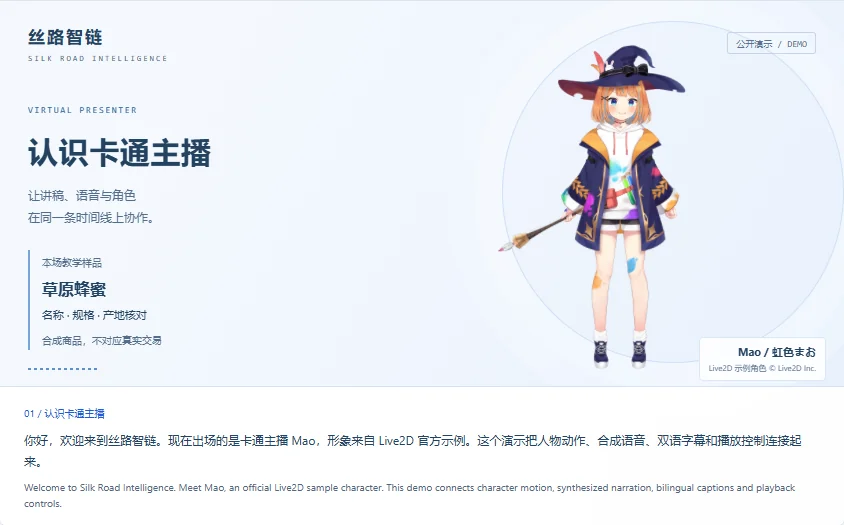
SILK ROAD / VIRTUAL PRESENTER

Meet the presenter. Follow the implementation.

Mao, an official Live2D sample character, presents six chapters in 101 seconds: product checks, script preparation, human review and playback control.

  1. Chinese synthesized narration
  2. Six chapters with coordinated motion
  3. Bilingual script and playback controls

Mao sample character © Live2D Inc. Public engineering demo with synthetic speech and amplitude-driven mouth movement; no photorealistic model inference.

SILK ROAD / VIRTUAL PRESENTER

Pause, switch chapters, replay.

A 60-second silent walkthrough: start, pause, choose chapters, compare Mao with Lin, reduce motion and restart.

  1. Pause without losing position
  2. Switch presenters and chapters
  3. Restart the narration

Recorded walkthrough of the public demo with synthetic content. Each step has a text guide. Mao sample character © Live2D Inc.

KAPT / LEARNING LAB

When should training stop?

Follow validation loss, the best checkpoint and the patience counter. The best epoch is 5; the stop signal arrives at epoch 8.

  1. Track validation loss
  2. Count rounds without improvement
  3. Keep the best checkpoint

Computed by the interactive demo's logic with synthetic values; not a training run.

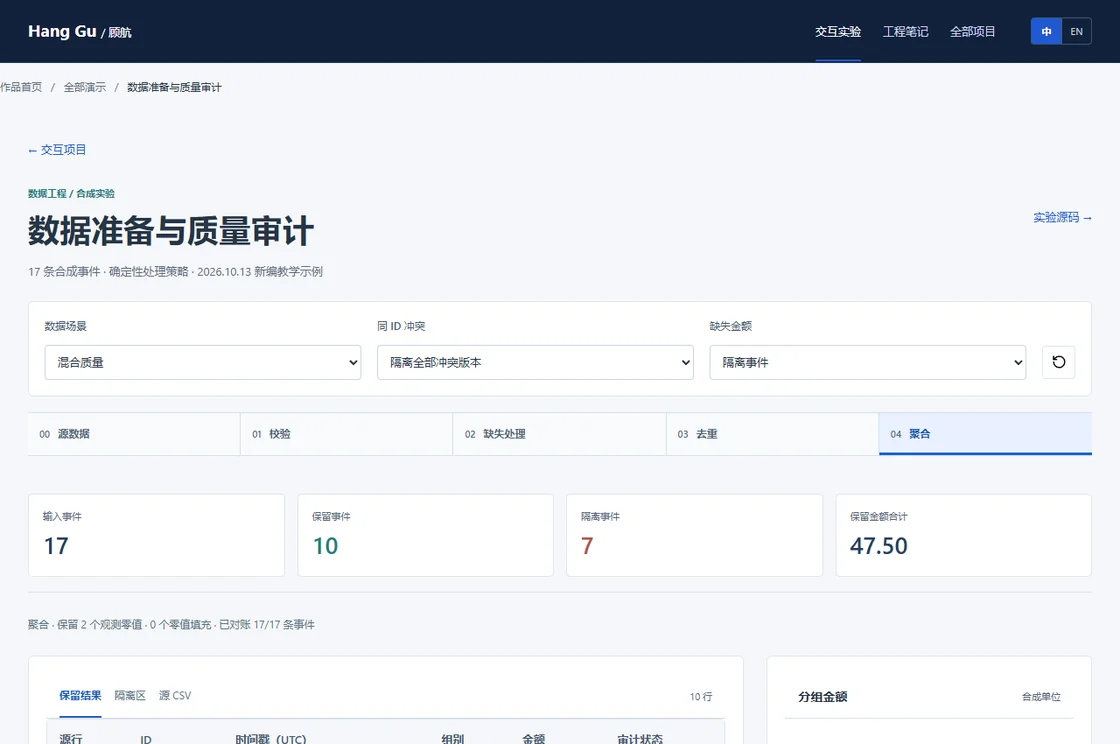
DATA / QUALITY AUDIT

Every excluded row has a reason.

Watch 17 input rows move through validation, deduplication and conflict checks: 10 retained, 7 quarantined, with an exact total of 47.50.

  1. Validate fields and missing values
  2. Separate duplicates and conflicts
  3. Reconcile rows and totals

Generated from the demo pipeline using fictional records; no production data.